
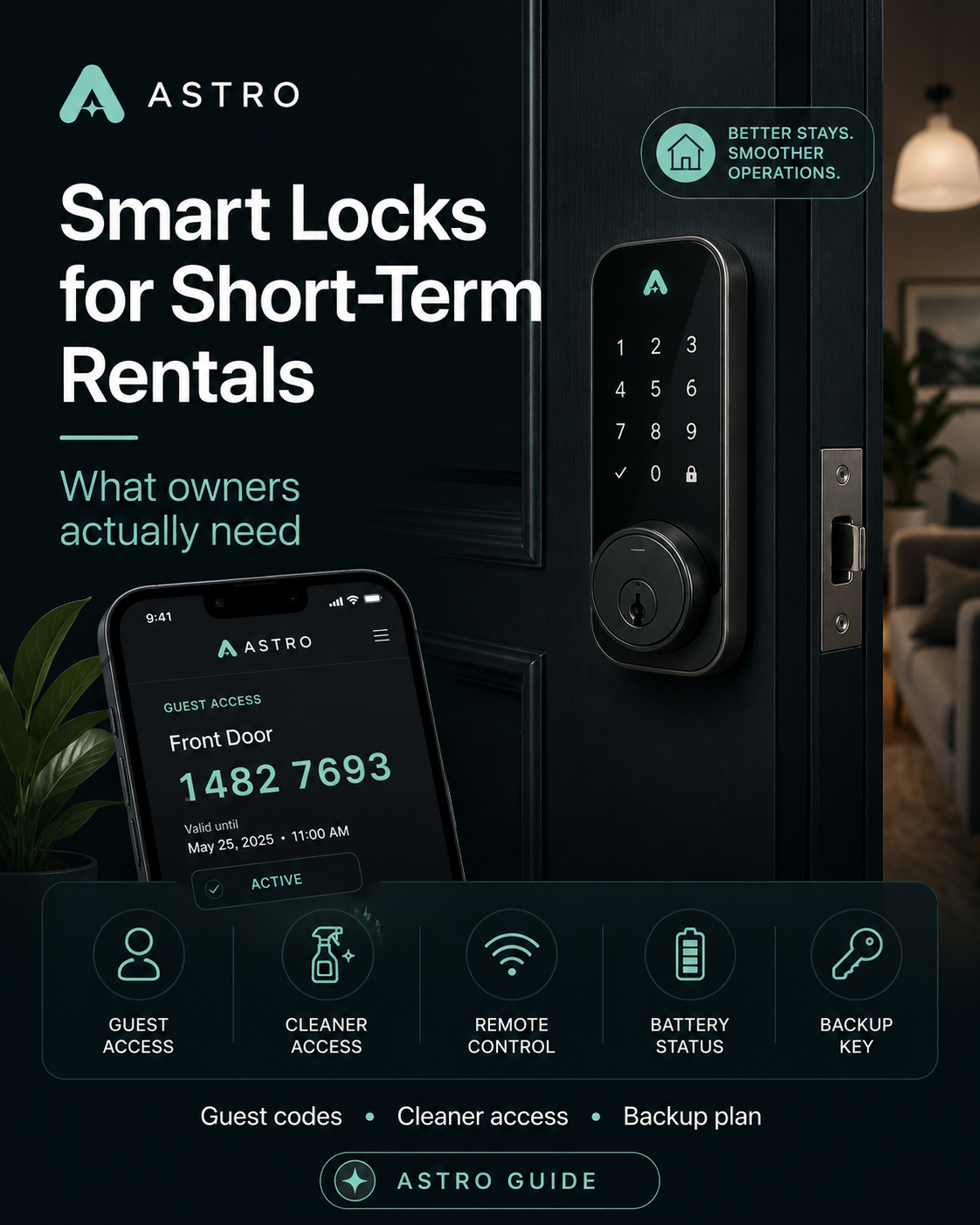
Smart Locks for Short-Term Rentals: What Owners Actually Need
ASTRO does not sell, install, or endorse smart locks or access vendors. This article is educational only—not security, legal, locksmith, or building-code advice. Product names are examples for owner research, not recommendations.
What owners need to understand before they buy hardware
A smart lock is not just a lock.
For a short-term rental owner, a smart lock is a small access-control system. It decides who can enter the property, when they can enter, how long their access lasts, what happens when the Wi-Fi fails, how cleaners get in, how emergency access works, and how much manual work the owner still has to do between bookings.
That is why “Which smart lock should I buy?” is usually the wrong first question.
The better question is what access-control problem you are trying to solve. A simple keypad may be enough for one owner. Another owner may need booking-aware guest codes, cleaner schedules, vendor access, shared building entry, audit logs, backup keys, and property-management-system integration. Those are very different needs.
This guide explains the smart-lock stack from an owner’s point of view.
The short version
A good short-term rental access system should answer seven questions:
- How does the guest get in?
- How is the guest code created?
- When does the code start and stop working?
- How do cleaners, inspectors, and vendors get access?
- What happens if the lock battery dies?
- What happens if Wi-Fi or the lock platform goes down?
- Can the system work across Airbnb, Vrbo, direct bookings, ASTRO member stays, and owner-managed access?
If a product cannot answer those questions clearly, it may still be a decent lock, but it may not be a complete short-term rental access solution.
The smart-lock stack
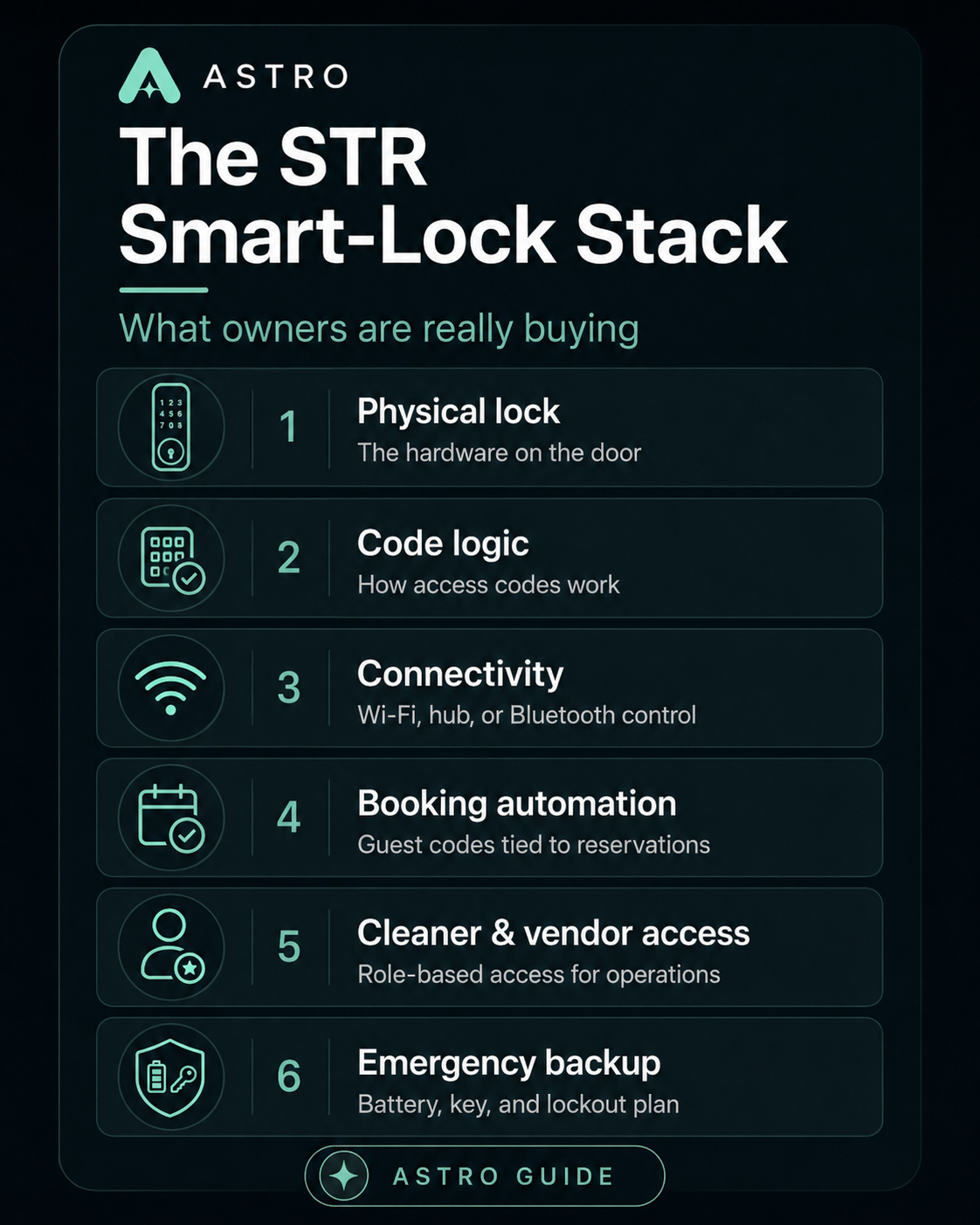
A short-term rental access system has several layers.
At the bottom is the physical lock—the hardware on the door: deadbolt, lever, latch, keypad, touchscreen, cylinder, batteries, and mechanical backup.
Next is code logic: whether access is permanent, scheduled, one-time, recurring, or manually created.
Then comes connectivity. The lock may use Wi-Fi, Bluetooth, Z-Wave, Zigbee, a bridge, a hub, or some combination. Connectivity determines whether you can change codes remotely, see access logs, receive battery alerts, or automate access.
Above that is booking automation, where guest codes can be generated from reservation data and scheduled to work only during the guest’s stay.
Above that is operations access. Cleaners, inspectors, maintenance workers, co-hosts, owners, and emergency contacts need their own access logic. Guest access is only half the job.
Finally, there is the failure plan. Batteries die. Doors swell. Guests mistype codes. Internet service drops. Apps go down. Cleaners arrive early. A good access system includes a practical fallback before something goes wrong.
The main vendor categories
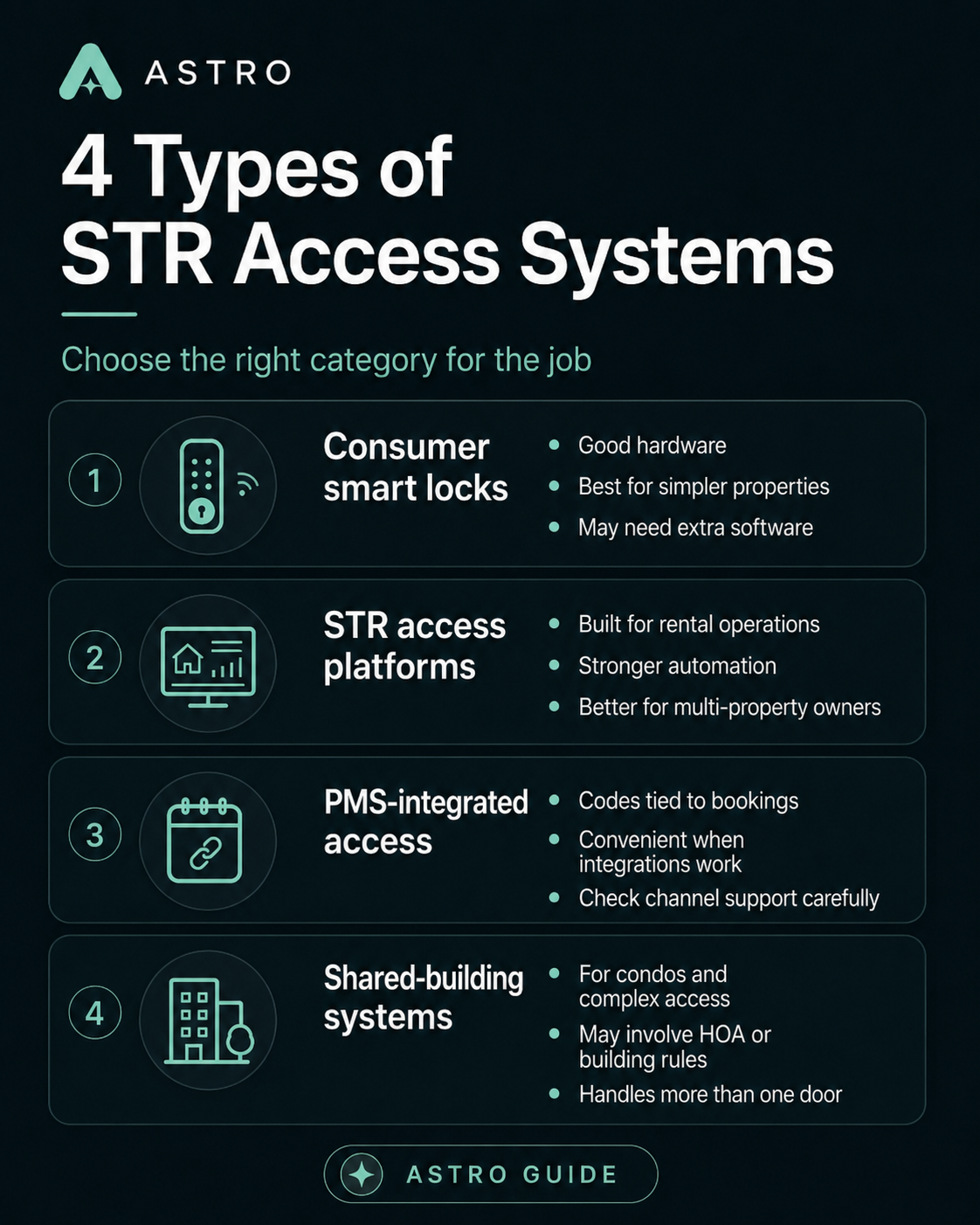
Smart-lock vendors fall into several buckets. None of these categories is automatically right for every property—the job is matching category to your door, booking mix, and operations.
1. Consumer smart locks
These include familiar brands such as Schlage, Yale, August, and Kwikset. They are often good hardware choices for single-family homes, cabins, cottages, townhomes, and smaller STR portfolios. Many owners like them because they are widely available and supported by mainstream smart-home ecosystems.
The risk is that a consumer smart lock may solve only the hardware problem. It may not automatically solve guest-code scheduling, cleaner access, cross-platform bookings, direct bookings, or multi-property operations unless paired with the right software. A consumer lock can be the right answer—just do not assume that “smart” means “STR-ready.”
2. STR access platforms
These are tools built around vacation-rental access operations. They may connect to multiple lock brands, PMS systems, booking channels, and automation workflows. This category is usually more important once an owner has multiple properties, multiple booking sources, cleaner teams, or a direct-booking strategy. The point is not just “unlock the door from your phone.” The point is to reduce manual access work and reduce guest-entry failures.
3. PMS or channel-manager smart-lock integrations
Some property management systems, channel managers, and host tools include smart-lock integrations so access codes can tie to reservation data. Still check: which lock brands are supported, which booking channels trigger codes, whether codes are automatic or manual, whether cleaner codes are supported, and what happens when a reservation changes, extends, or the integration fails.
4. Budget keypad and TTLock-style ecosystems
Some owners use lower-cost keypad locks or app-managed locks based on broad white-label ecosystems. Upfront cost may be lower and hardware options plentiful—but verify reliability, support, app quality, code scheduling, integration support, battery reporting, and long-term parts availability. A cheap keypad that works reliably may beat an expensive system poorly installed.
5. Commercial or shared-access systems
Condos, boutique inns, multi-unit properties, and properties with shared gates or elevators may need a more serious access-control system. One unit-door smart lock may not solve building entrance, parking gate, pool gate, elevator access, staff access, or emergency access. Owners may need commercial access control, building coordination, HOA approval, or a system that supports multiple doors and roles.
The biggest mistake owners make
The biggest mistake is buying a lock before defining the access workflow.
A lock should fit the property, the door, the booking model, the cleaner workflow, and your tolerance for manual work. Before buying anything, map the real access scenario: guest books, guest receives code, guest arrives, guest enters, cleaner enters after checkout, inspector or maintenance enters if needed, owner enters occasionally, emergency contact enters if the lock fails.
Now ask: Who creates each code? When does each code work? Who can change it? Who gets notified? What happens if the guest cannot get in? What happens if the cleaner cannot get in? That is the job.
Wi-Fi lock, hub lock, Bluetooth lock: what that actually means
A Wi-Fi lock connects directly to Wi-Fi. That can make remote access simpler, but it may drain batteries faster and depends heavily on Wi-Fi reliability.
A hub-based lock uses a bridge or hub to connect the lock to the internet. The lock may use Z-Wave, Zigbee, Bluetooth, or another protocol locally, while the hub handles remote communication. That can be more reliable in some setups, but it adds another device that must stay powered and connected.
A Bluetooth lock may work well when someone is physically nearby, but may not support full remote management unless paired with a bridge or gateway.
For STR owners, the practical question is: Can I create, revoke, and troubleshoot access when I am not at the property? If the answer is no, the lock may still be useful, but it is not a complete remote-access solution.
Guest-code automation is not universal
A keypad does not automatically mean guest-code automation. There are several levels:
- Manual fixed code — simple, but risky if former guests, cleaners, or vendors keep the code.
- Manual rotating code — safer, but labor-heavy and easy to forget on turnover day.
- Scheduled code — a unique code for a guest window; know whether scheduling is manual or automatic.
- Booking-aware code — the system creates the code from reservation data and sends it through the right workflow—the cleanest model when hardware, software, booking source, and integration all align.
Do not accept vague language like “supports guest access.” Ask whether the system automatically creates a unique, time-limited code for each reservation from every booking source you use.
Cleaner and vendor access
Guest access gets most of the attention, but cleaner and vendor access often matters more operationally. A mature STR access setup should support recurring cleaner codes, one-time vendor codes, maintenance and inspector codes, co-host access, owner access, and emergency backup access.
Cleaner access should not depend on sharing the guest code. Vendors should not receive permanent access without a clear reason. Former cleaners and contractors should be removed promptly.
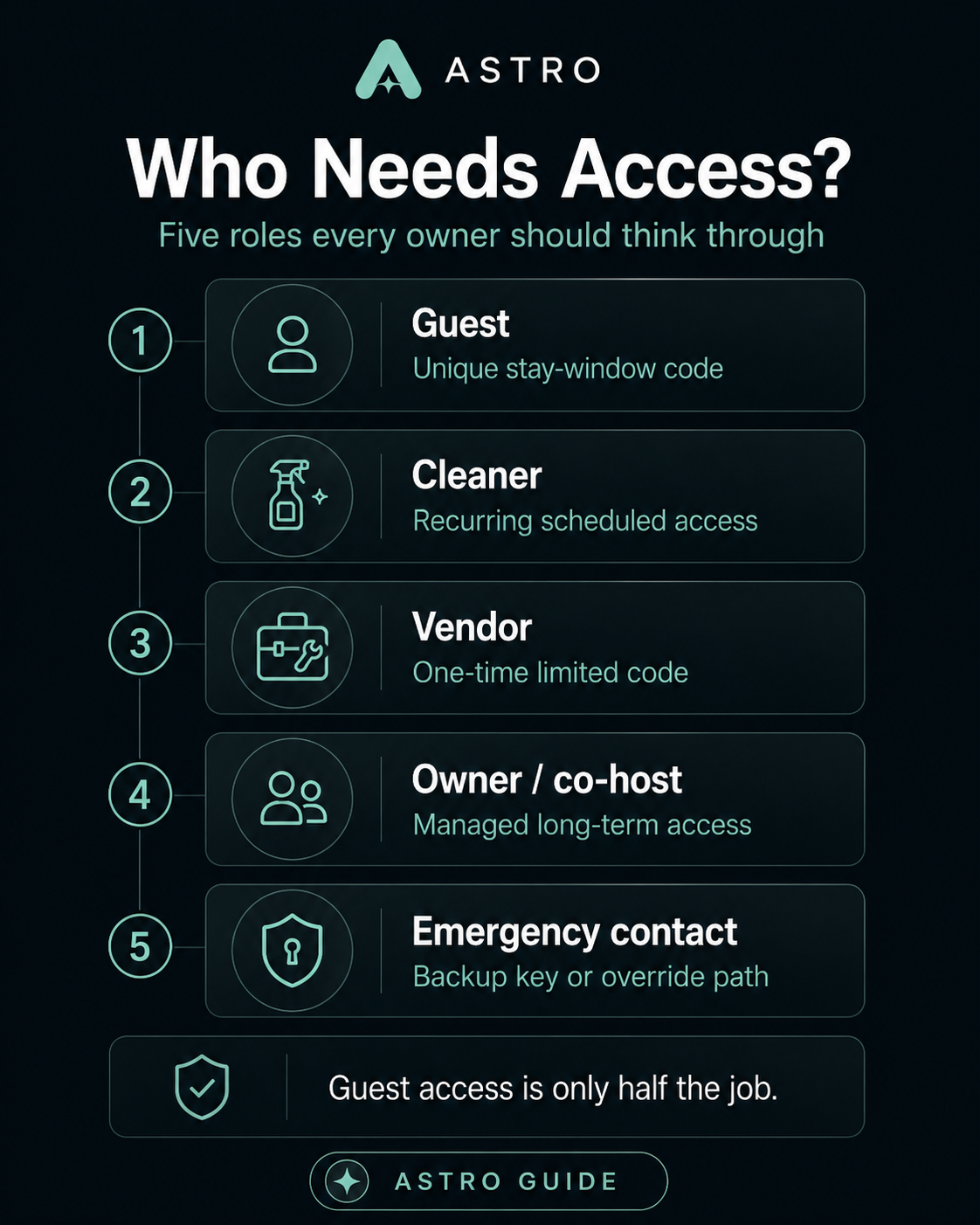
For multi-property owners, the question is not “Can I unlock the door?” It is whether you can manage role-based access across all properties without creating a security mess.
Battery failure is not a rare edge case
Battery failure is part of owning a smart lock. Ask whether the system sends low-battery alerts you can see remotely, who replaces batteries and on what schedule, what battery type is required, whether cleaners carry spares, whether there is emergency jump-start contact, mechanical key backup, where that key is stored, who can access it, and whether a guest can lock themselves out during a battery failure.
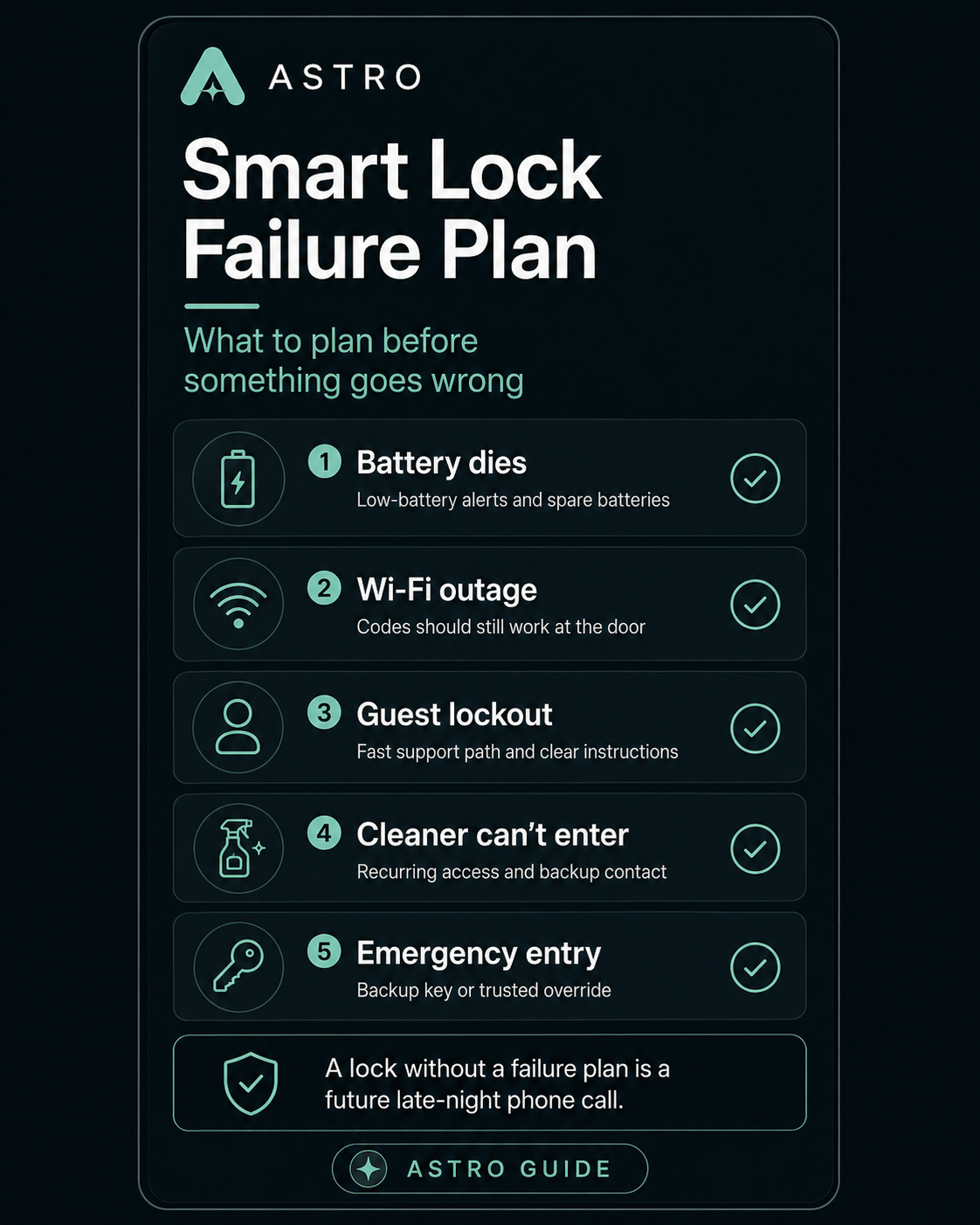
A lock without a battery plan is not an STR access system. It is a future late-night phone call.
Door fit matters more than owners expect
Many smart-lock complaints are door problems, not software problems. A deadbolt that barely lines up manually may fail electronically. A door that swells in humidity may jam. Coastal corrosion, historic doors, and flimsy frames all matter.
Before buying, check deadbolt alignment, door thickness, backset, bore hole size, strike plate condition, weather exposure, whether the door closes cleanly, and whether you are securing a deadbolt, lever, mortise lock, gate latch, or shared-entry system. A smart lock cannot fix a bad door.
Shared buildings and condos are different
A single-family home with one front door is the easiest case. Condos, apartments, and resort buildings are more complicated. Guests may need building entrance, parking, elevator, unit door, pool, trash room, or after-hours lobby access—and the owner may control only the unit door. HOAs may prohibit exterior hardware changes. Before installing a smart lock in a shared building, understand what you actually control.
Audit logs: useful, but not magic
Some locks record unlock events—useful for “Did the guest arrive?” or “Was a code used after checkout?” But logs may show that a code was used, not who used it; they may depend on connectivity; they may not exist on every model; and they may raise privacy questions if described poorly to guests. Audit logs are operational evidence, not a substitute for good access design.
OTA-native automation vs platform-agnostic access
Some booking platforms support smart-lock connections that generate and share guest codes for compatible locks. That is useful—but an access system should not only work for one booking channel.
Most serious owners eventually handle Airbnb, Vrbo, Booking.com, direct bookings, repeat guests, cleaner and vendor access, owner blocks, maintenance visits, ASTRO member stays, and emergency access. If automation only works for one channel, you still need a broader plan. The door should not become another place where you are trapped inside one platform’s workflow.
Cost model
Smart-lock costs usually come in several layers: hardware, installation (locksmith, door repair, building approval), software subscriptions, integration fees (PMS or channel manager), and maintenance (batteries, parts, support time, emergency locksmith calls). The cheapest lock is not always the cheapest system.
What owners should compare
When comparing smart-lock options, use a practical checklist—not headline marketing copy.
Hardware
- Does it fit my door? Is it durable enough for guest use and weather-appropriate?
- Does it have a mechanical backup?
Connectivity
- Wi-Fi, hub, Bluetooth, Z-Wave, or Zigbee?
- Can I manage it remotely? What happens if Wi-Fi fails?
Guest codes
- Unique, scheduled, auto-generated, and auto-expiring codes?
- Works across all booking channels I use?
Operations
- Cleaner, vendor, owner, and one-time codes?
- Audit logs and battery alerts?
Integrations
- Airbnb, Vrbo, Booking.com, PMS, channel manager, direct bookings, manual stays, ASTRO member stays?
Failure plan
- Backup key, battery replacement process, emergency contact, lockout procedure, cleaner spare batteries?
Governance
- HOA or building approval? Local self-check-in rules? Guest privacy language? Shared-entry limitations?
Before you buy
Before buying any smart lock or access platform, answer these questions:
- What door am I securing?
- Who needs access, and when should each person have access?
- How are codes created and revoked?
- Does this work across my booking channels, for cleaners and vendors?
- What happens when Wi-Fi fails or the battery dies?
- What is the emergency entry plan?
- Who owns guest communication—what does the guest, cleaner, and owner each see and control?
If you can answer those questions, you are not just buying a lock. You are designing an access-control system for your short-term rental.
Why this matters for ASTRO owners
A smart lock is not about looking modern. It is about reducing access failure, protecting the property, supporting cleaner and vendor workflows, and making the stay feel professional before the guest steps inside.
For ASTRO owners, the best access system is not necessarily the fanciest lock. It is the system that supports your real operating model: clear guest access, controlled cleaner access, limited vendor access, planned emergency access, understood platform integrations, and access that does not depend entirely on one OTA.
ASTRO does not sell or install smart locks and does not verify access hardware on behalf of owners. But guest-facing operations—check-in instructions, house guides, and property tools such as Guest Portal—depend on access working the way you describe it. A registry identity is not a door code. Owners Exchange settlement mechanics do not program your lock. When you add direct bookings, owner-network stays, or guest-facing tools, know how access is created for each channel.
The right smart lock helps an owner run the property with less panic. The wrong smart lock creates a new point of failure on the front door. When you are ready to align property identity with how you operate, explore the registry or join ASTRO.
Common mistakes owners make
- Buying hardware before mapping guest, cleaner, vendor, and emergency access workflows.
- Assuming “smart” or “keypad” means booking-aware, time-limited guest codes.
- Sharing one guest code with cleaners or leaving fixed codes in place for months.
- Ignoring battery alerts, backup keys, and lockout procedures until a late-night failure.
- Installing a unit lock without understanding HOA, building entry, or shared-access limits.
- Relying on one OTA’s lock integration with no plan for direct bookings or other channels.
The Simplest Counterargument
Many owners do not need a complicated access stack. A reliable keypad, one rotating code, and a hidden backup key may be enough for a single property with simple turnover and mostly platform bookings. Extra software, integrations, audit logs, and role-based codes add cost, setup time, and another system to maintain.
That objection is reasonable. Not every property needs booking-aware automation on day one.
What Still Matters
Even a simple setup should answer the operational questions: who gets in, when codes change, what happens when the battery dies, and how cleaners enter without sharing the guest code.
The goal is not the most connected lock on the market. The goal is an access system that matches how the property is actually booked and operated—and that fails gracefully when something goes wrong.